Do the deep work.
Block the rest.
A focus timer for real concentration. Pomodoro, persistent tasks that carry across days, a daily dashboard, flow-state sound, and an extension that actually blocks distracting sites while you work. Inspired by Cal Newport's Deep Work.
no account · no tracking · your data stays on your device
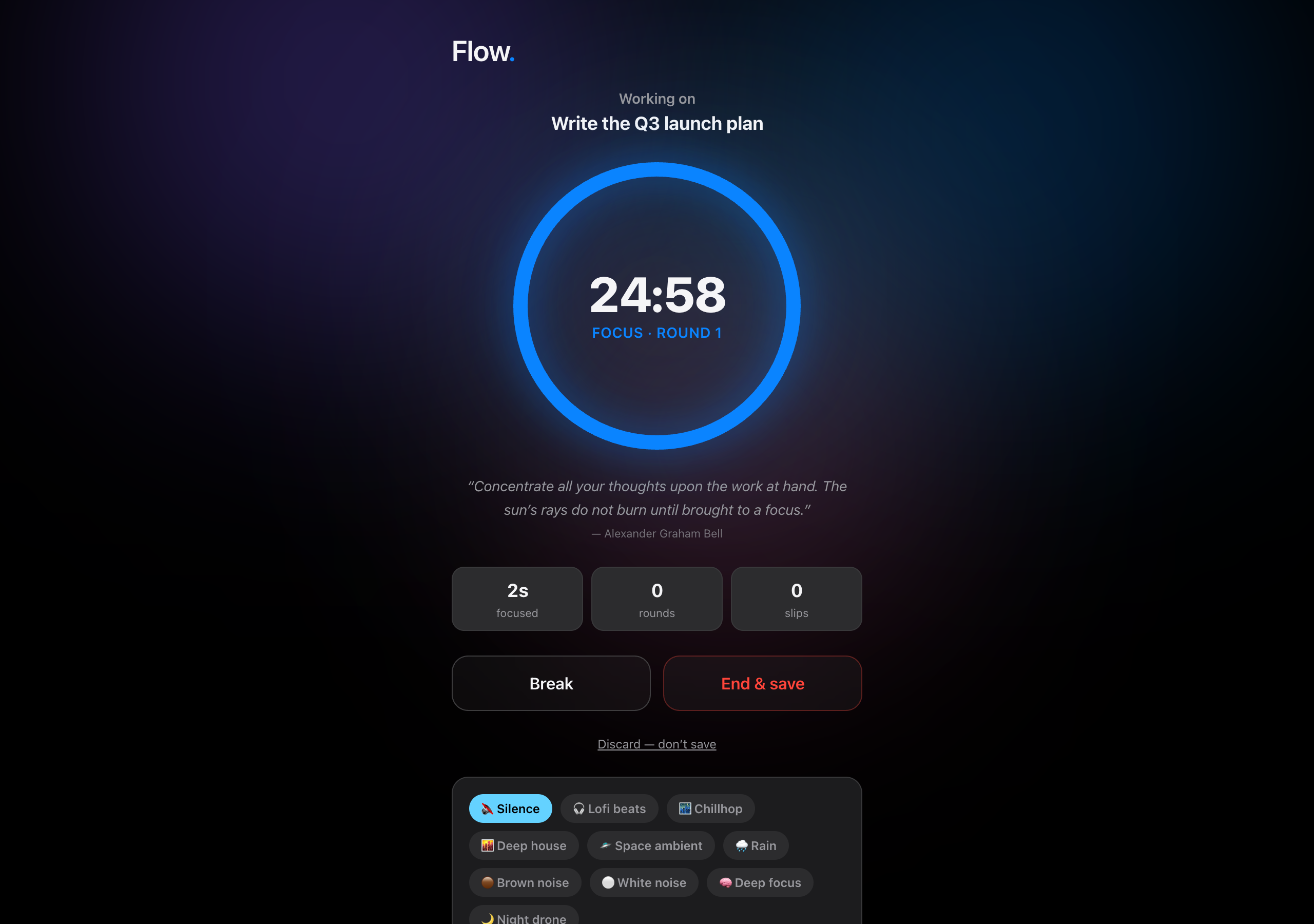
Everything you need to lock in
One app for distraction-free work.
Pomodoro, fixed, or open.
25/5, 50/10, 90/15, a hard cap, or an open stopwatch. Auto-transitions between work and breaks, so you start the round and stop thinking about the clock.
Real site blocking
The free Focus Guard extension blocks your distraction list automatically the moment a round starts.
Flow-state sound
Lofi & chill internet radio, plus offline rain, brown/white noise, and tonal focus drones.
Distraction guard
Wander to another tab and Flow flags it, pauses the timer, and pulls you back. Logged time is real focus.
Wind-down ritual
End the day with a shutdown checklist and tomorrow's first task, which greets you next morning.
Tasks that carry over
One task across many sessions, many days. Flow sums total focus time per task and keeps open work on your list until you mark it complete.
A dashboard that earns its streak.
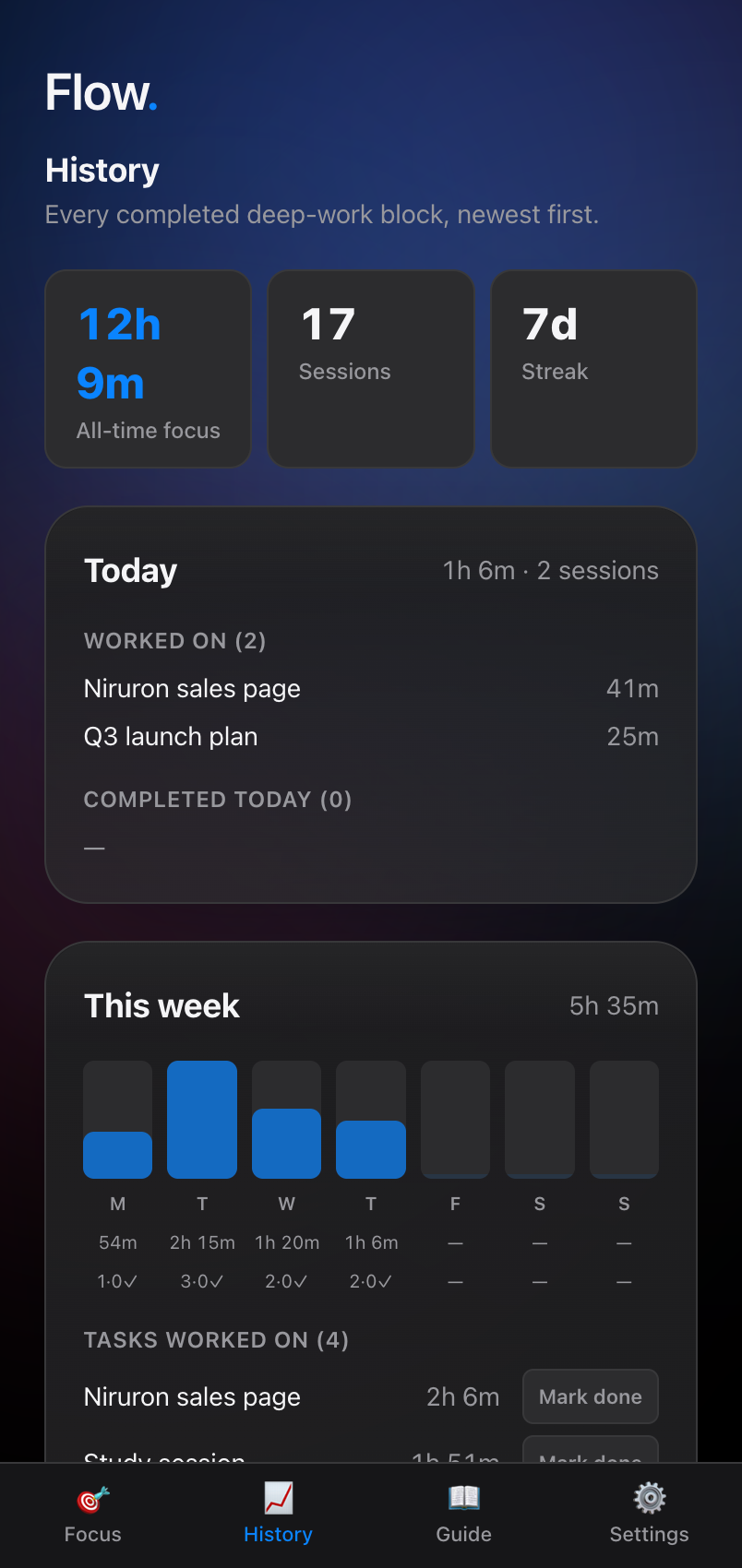
Today and this week at a glance: hours of deep work, tasks touched, tasks completed, a 7-day rhythm bar, and a streak that rewards showing up, not heroics.
From the book that inspired it
"Human beings, it seems, are at their best when immersed deeply in something challenging."
Cal Newport · Deep Work
Built on the four rules
The Deep Work principles, turned into buttons.
Cal Newport argues that focus is a trainable, increasingly rare skill. Flow ships its rules as actual UI.
Work deeply
Rituals beat willpower. Pick a time, a length, and a single task, then start.
Embrace boredom
Flow sounds and a distraction guard train your attention to stay put.
Quit the noise
Focus Guard blocks the sites that hijack you, automatically, while you work.
Drain the shallows
The dashboard measures depth, not busywork. Hours in flow, not tasks ticked.
A full Deep Work guide ships inside the app.
See your focus add up
Work that actually finishes.
- →Per-task totals. Focus time accumulates across days and sessions, not just one sitting.
- →Today & this week. Hours of deep work, tasks worked on, tasks completed.
- →Open task list. Pick up unfinished work next session without retyping it.
- →7-day rhythm so you can see your week form, including zero days.
- →Streaks that reward consistency over heroics.
Get Flow
Install it in under a minute.
Flow is a web app. Open it in any browser, or install it so it lives on your dock and works offline. No store, no sign-up.
Install to your dock
- Open goflow.space/app
- Click the install ⊕ icon in the address bar (or ⋮ → Install)
- Hit Install and Flow opens in its own window
Add to Home Screen
- Open goflow.space/app in Safari
- Tap Share → Add to Home Screen
- Tap Add and launch it like any app
Install app
- Open goflow.space/app
- Tap ⋮ → Install app
- Confirm and it lands on your home screen
Add the free Focus Guard extension
- In Flow, go to Settings → Download Focus Guard
- Extract the download to get a flow-focus-guard folder
- Open chrome://extensions, turn on Developer mode
- Click Load unpacked and choose the extracted folder. Blocking turns on automatically during deep work.
Questions
Everything you might ask.
Is GoFlow free?
Yes. GoFlow is completely free, with no account and no paywall. The Focus Guard website blocker extension is free too.
Does GoFlow work offline?
Yes. GoFlow runs in your browser and stores everything on your device, so the timer, your tasks, and your history keep working with no internet.
How does the website blocker work?
Install the free Focus Guard extension and pick the sites that pull you off task. The moment you start a deep work round, GoFlow blocks them, then lets them back in when the round ends.
Is my data private?
Your sessions, tasks, and stats never leave your device. There is no account, no server, and no tracking.
What timer modes does GoFlow have?
Pomodoro (25/5, 50/10, or 90/15), a fixed time limit, or an open stopwatch. Pomodoro switches between work and breaks for you.
Do I need to install anything?
No. Open goflow.space/app in any browser. You can install it as an app on your dock or home screen, and add the Focus Guard extension when you want real site blocking.
From the studio
Flow is made by Hatch — a studio that builds custom software for people who'd rather ship than fiddle.
Stop scrolling. Start flowing.
Free, private, and built for one thing: getting the deep work done.